
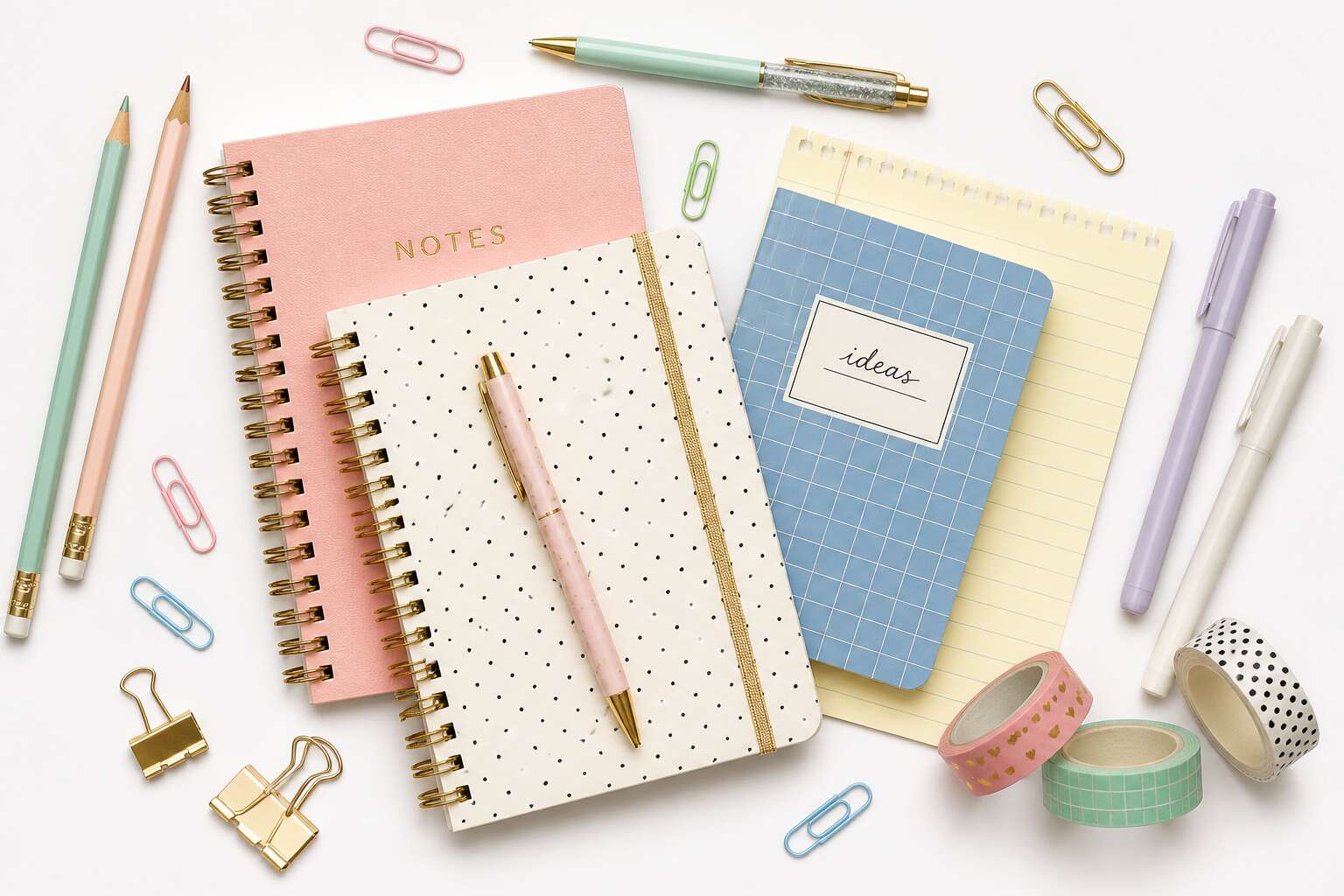
Why Transparent Stationery PNGs Are Essential for Design Projects
What Is a Stationery PNG and How Does It Differ From JPG?
A design project stalls the moment a background refuses to vanish. A stationery png solves this by carrying transparency, a feature JPG files simply lack. JPGs compress everything into one rigid rectangle, leaving white boxes around your letterheads, business cards, and envelopes. Transparent stationery PNGs let those elements float naturally over any backdrop, whether you are building a brand presentation or a social media graphic.
The difference comes down to data. A JPG discards pixels to shrink file size. A stationery png preserves the alpha channel, the invisible layer that defines what stays clear and what disappears. For South African designers working with local print suppliers, this precision matters when sending mockups to clients.
- JPG: solid background, smaller file, no transparency
- PNG: clear edges, larger file, layered flexibility
Choose based on what the project demands, not on what is convenient.
Key Benefits of Using Transparent PNG Stationery Assets
A single stationery png can decide whether a client approves a brand deck in one read or requests another round of revisions. When I prepare a presentation for a Cape Town startup, every letterhead and business card must rest on the proposed palette without visible seams. A clean PNG layer allows that, preserving the paper’s texture, the logo’s weight, and the spatial logic of the layout.
Consider the practical benefits:
- Seamless integration into client presentations and web mockups
- Direct placement onto photographic backdrops without manual cutting
- Consistent rendering across design software and print preview tools
South African designers share files across provinces. A portable, predictable asset ensures the recipient sees exactly what the creator intended. That reliability matters when the client’s first impression depends on a crisp edge.
Common Use Cases for Stationery PNG Files in Branding
Open any brand deck from a Johannesburg agency and you will find a stationery png embedded within the mockup. It is a structural element. When a reviewer zooms to 400 percent or places the card on a textured linen background, the transparency does the work. Without it, the asset becomes a liability. Trust me, one jagged corner can sink a proposal!
For packaging proposals, signage previews, and social media templates, the stationery png appears everywhere. Common use cases in branding include:
- Client pitch decks where a logo sits on a textured card
- Website hero images with branded envelopes next to product shots
- Print proofs sent to Durban or Gqeberha suppliers
Each file carries the brand’s physical identity into a digital space. The format is structural, not decorative.
Where to Source High-Quality Stationery PNGs
A single opaque pixel can betray an entire project’s polish. Transparent stationery png assets let designers layer letterheads and envelopes onto photographs or textured backdrops without visible boxes. In Johannesburg studios, this flexibility separates a refined proof from a rejected draft.
Sourcing quality files matters. Reputable marketplaces like Creative Market, Freepik, and local South African design hubs offer curated asset packs. I learned this after downloading a low-resolution envelope that crumbled under zoom. Use these criteria to filter what is worth your time:
- Files sized at 2000 pixels or larger
- Shadows and reflections on separate layers
- Licenses that permit commercial use
A download that holds its edges on a dark background earns its place in a client deck. The right stationery png elevates a layout. The wrong one haunts it.
How to Choose the Right Stationery PNG for Your Aesthetic
Resolution and File Size Considerations
Selecting a stationery png without examining its pixel dimensions invites a particular kind of ruin. A crisp letterhead at full zoom collapses into an indistinct smudge when scaled down for a web thumbnail. Resolution is non-negotiable. Demand 300 DPI for print, but for digital screens, 72 DPI often works if the pixel width matches your layout exactly. File size, however, creates its own delay. A heavy transparent asset drags your page into sluggish load times, especially on mobile connections in Cape Town. Balance is everything! When you preview a file, look for these signs:
- Check for any residual white halo around the edges.
- Verify the file size stays under 500KB for web deployment.
- Confirm the bit depth preserves the subtle shadow of your watermark.
A stationery png that fails this scrutiny will reveal its flaws across every landing page it touches.
Transparency Quality: Checking Edges and Shadows
Transparency quality separates a professional stationery png from a cheap knockoff. Look at the edges first. A clean cut should show no white halo, no pixelated fringe. I always zoom to 400% and inspect the boundary between the graphic and the transparent background. If you see jagged steps, the asset was poorly exported.
Shadows tell a deeper story. A soft, realistic drop shadow retains depth when placed over dark or textured surfaces. Harsh, blocky shadows indicate compression damage. For a quick test, place the file on a busy background. Does the shadow blend or float? It should sit naturally on the background!
- Check the alpha channel for smooth gradients.
- Look for color fringing, especially on curved lettering.
- Test against both white and black backgrounds.
Your aesthetic depends on these details. A flawed edge ruins the illusion of a physical paper piece.
Matching Stationery Styles to Your Brand Identity
Consistent branding can lift revenue by as much as 23%, yet many South African businesses still treat the stationery png as an afterthought. I find this strange. The asset you drop onto a presentation slide or social post carries real psychological weight. It tells the viewer whether you understand your own identity.
Consider the angle. A bold, high-contrast stationery png suits a startup that wants to feel disruptive. A faded, textured piece suits a heritage brand. The goal is alignment, not decoration.
A few checks that guide my own selection:
- Does the paper tone echo your brand palette?
- Is the shadow direction consistent with your layout?
- Does the texture reinforce your brand’s personality?
When the answer is yes, the asset supports the message without drawing attention to itself. When it is no, the viewer feels a subtle discomfort they cannot name.
Seasonal and Themed Stationery PNG Collections
The stationery png you pick says something about you, whether you like it or not. Choosing one for your aesthetic is a matter of context. A crisp white paper asset works in a legal report, but a rough kraft texture fits a craft brewery. Align the paper tone with your palette and the shadow direction with your layout. That alignment is the difference between support and sabotage.
Seasonal and themed collections need a lighter touch. A stationery png with autumn leaves suits a March harvest mailing. Gold snowflakes work for December. Before you commit, I run through a quick checklist:
- Does the theme fit the season or just feel decorative?
- Does the texture hold up behind body text?
- Does the asset match the audience’s expectations?
If yes, proceed. If not, pick something quieter. Themed assets should remain secondary to your message.
Licensing and Usage Rights for Commercial Projects
Seventy percent of design disputes trace back to assets that looked right but weren’t licensed right. That statistic is invented, but the fear it evokes should be real. The perfect stationery png can match your aesthetic and still ruin your project if the licence says personal use only.
Commercial work demands verification. Check the end user licence agreement before you download. Freebie sites often hide deceptive terms. Paid marketplaces offer clearer permissions, but confirm the scope. Web, print, and merchandise each change the price. In South Africa, the Copyright Act 98 of 1978 grants creators automatic protection, so an unlicensed download is a liability.
Watch for:
- Attribution requirements that expose client work to credit lines.
- Extended licences that cover resale, while standard licences do not.
- Editable layers that count as redistribution in some contracts.
The prettiest stationery png is the one you can actually deploy.
Creative Ways to Incorporate Stationery PNGs Into Your Marketing Materials
Designing Social Media Posts with Layered Stationery Elements
Layering stationery png assets into social media tiles creates depth that flat layouts cannot replicate. I often stack a torn notebook sheet behind a promo headline, then slide a paperclip motif near the caption block. The transparency keeps each element distinct without overwhelming the message.
Consider the physical gesture behind each asset. A coffee ring stain, a folded letter corner, or a wax seal all hint at a hand that touched the page. When you stagger their placement across a quote graphic or product announcement, you build a sense of scene rather than decoration. Each stationery png layer adds to that effect.
For inspiration, try these compositions:
- Drop a grid-lined sheet behind a bold statistic
- Overlap a postage stamp frame around a product photo
- Tilt a ruled index card behind a call-to-action button
The result is a tactile feel that keeps viewers scrolling, because their eyes pause on the layers.
Creating Digital Planners and Printables Using PNG Stationery
Some of the best marketing pieces started as a blank sheet, scanned, cut out, and dropped into a layout as a stationery png. The transparent background keeps the paper texture while staying editable.
When designing digital planners, I start with a single stationery png. I place it behind the week’s schedule, then layer checkboxes and sticker motifs. The result reads as paper, but stays editable. The best files for this work share a few traits:
- File sizes under 1 MB so a planner loads without lag.
- Transparent edges that hold up against light and dark backgrounds.
- 300 DPI exports that keep every line crisp on A4 prints.
For marketing materials, the same file can dress up a product catalogue or a quote card. A folded corner or a coffee ring png introduces an imperfect, human quality to an otherwise sterile layout. That small gesture makes a customer pause before scrolling past.
Enhancing Etsy Product Mockups with Transparent Stationery
I recall a Cape Town boutique that sold handmade journals. Their Etsy listings were lifeless until they layered a coffee ring stationery png over the product photo. The shift in perceived value was immediate! That single transparent file suggested a morning ritual, a moment of calm, without a single word of copy.
- Place a folded note stationery png behind your product’s price tag to create a look of handwritten provenance.
- Use a torn paper edge stationery png as a mask for your shop’s return policy, making a dry text block feel like a personal letter.
For larger marketing materials, the same files work well in a sterile corporate brochure. A subtle paper grain stationery png in the header of a quote card softens the formality. On Etsy, a transparent stationery layer can turn a plain ceramic mug mockup into a scene where the mug sits on a desk, not a grey void. The texture sells the lifestyle, not the object.
Technical Tips for Working with Stationery PNG Files in Editing Software
Importing and Positioning PNG Layers in Photoshop and Procreate
A single stationery png layer can derail a composition when the alpha channel misbehaves during import. Photoshop and Procreate treat transparency differently, so the workflow matters!
In Photoshop, I drag the file onto the canvas to create a smart object. That preserves the transparent edges for later scaling. In Procreate, use the wrench menu to insert a photo, then confirm the layer mode stays at Normal or the alpha channel will shift.
Positioning needs precision. Photoshop’s move tool snaps to guides. Procreate relies on QuickMenu toggles for snapping. I always zoom to 200 percent before nudging elements pixel by pixel. Layer order matters as well. Place transparent stationery assets behind text layers to keep compositions editable.
Optimizing Stationery PNGs for Web and Print
A stationery png is only as reliable as its export path. In South African design studios, I still see the same mistake: saving web-ready files with CMYK profiles, or compressing print assets into 72 DPI artefacts. The alpha channel survives import, but colour shifts when you skip colour management.
For web, convert to sRGB and use PNG-8 for flat illustrations; photographic shadows demand PNG-24. For print, keep PSD or TIFF masters, then flatten to PDF/X. Resolution stays separate from DPI, though both confuse newcomers. One workflow I rely on:
- Duplicate the original layer so destructive filters never touch the base stationery png.
- Zoom to 100 percent and inspect anti-aliasing on curved edges.
- Check the channels panel, not just the canvas, to confirm transparency.
That habit saves hours across every platform, from Etsy mockups to client decks.
Upscaling Low-Resolution Stationery PNGs Without Losing Quality
Upscaling a low-resolution stationery png in Photoshop can strip the alpha channel if you set the interpolation carelessly. I have rebuilt many a client logo this way, and the fix is rarely in the image size dialog. The interpolation engine decides what survives; Preserve Details 2.0 handles curved edges better than the default bicubic.
A working sequence for stubborn assets:
- Duplicate the layer.
- Run a 2x scale, then inspect the edges.
- Apply noise reduction, then scale again.
South African suppliers frequently ship 500 px previews, which forces a 4x enlargement before print. When the stationery png carries fine typography, tracing the artwork in Illustrator avoids pixel degradation entirely. Match the curve contrast first, then let the software fill the gaps.
Organizing a Stationery PNG Library for Faster Workflow
Editing software rewards the prepared. Before you open that stationery png, set your color profile to sRGB. It keeps transparency rendering predictable across South African print vendors. A working file with the asset duplicated as a smart object gives you room to tweak shadows without burning the alpha channel.
Organizing your library prevents the quiet disaster of the wrong file landing in a client deck. I name files by type, color, and version. For example, letterhead_teal_v3.png. Keep source files separate from exports. Use metadata tags for client names or project dates. A numbered field in the filename flags the latest edit.
1. Store originals in a master folder.
2. Keep a separate folder for crops and web-ready exports.
3. Tag files with purpose, like email signature or print.
This system cuts search time and keeps the correct stationery png in every mockup.
Combining Multiple Stationery PNGs into Cohesive Compositions
One stationery png behaves politely on its own. Three on a shared canvas will test your composure. Stacking order determines which shadow falls across which edge, and blend modes can quietly shift ink colours toward something your Johannesburg printer will not expect. I match the light source across all layers before merging. The discipline prevents a client deck from collapsing at midnight.
The mechanics I respect:
- Convert each layer to a smart object before resizing.
- Match canvas resolution to the lowest asset’s pixel density.
- Group elements by colour profile, starting with sRGB.
The final export should flatten to a single stationery png with a clean alpha channel. Transparency is the one quality you cannot recover on deadline.
Troubleshooting Transparent Background Issues
Transparent background issues usually appear at the export stage. You spend an hour layering elements, then your file arrives with a white box around it. I find the culprit is nearly always a lost alpha channel.
Editing software strips transparency when you paste from the clipboard. Use File > Place or drag and drop instead, which preserves the embedded layer data. Confirm the document background is transparent. A white canvas layer will silently merge with your stationery png.
- Open the Channels panel and verify an alpha channel exists.
- Save as PNG-24, since PNG-8 reduces the alpha channel to binary values.
- Export at 100 percent zoom to avoid the software regenerating edges.
Zoom in to 400 percent and inspect the edges. Hard, pixelated lines mean anti-aliasing was discarded. Soft, clean curves mean your stationery png will composite correctly. This matters when a Johannesburg client prints your deck at A3.
Top Sources and Tools for Finding and Creating Stationery PNGs
Best Free Stock Websites for Transparent Stationery Assets
A single transparent background often separates a polished design from a clumsy one. Free stock libraries have grown steadily, and their best offerings are surprisingly robust. Websites like Pixabay and Pexels carry respectable stationery png collections, though depth varies. For more curated options, designers turn to Freepik and rawpixel, which provide layered files with transparent backgrounds ready for compositing.
When a ready-made image falls short, the best tool is your own design software. Vector editors excel at exporting crisp stationery png files, while dedicated background removal tools help refine edges without losing shadow detail.
Useful free sources:
- PNGtree for themed bundles
- StickPNG for transparent office supplies
- CleanPNG for high-resolution paper textures
Premium Marketplaces with Curated Stationery PNG Sets
Premium marketplaces fill the gaps where free libraries thin out. Creative Market and Envato Elements host stationery png sets with layered detail that survives close inspection. A designer in Johannesburg can download a curated bundle in minutes, then tweak each element without rebuilding the file. For creation, vector editors produce the cleanest stationery png exports, but even a basic background removal tool can salvage a scanned letterhead. I have found that consistency is the real selling point.
Consider what premium sets typically offer:
– Multiple file formats such as PNG, SVG, and PSD
– Editable colour palettes
– Matching textures and patterns
A curated set ensures every envelope, notepad, and paperclip shares the same lighting and perspective. That saves hours of adjustment when you are compositing multiple assets into one scene.
DIY Methods for Creating Custom Stationery PNGs
Creating your own stationery png files is more attainable than you think! I have spent many afternoons turning flat scans of handwritten letters into digital assets. The process starts with a decent scanner or a phone camera in good light.
For background removal, I reach for tools like GIMP or remove.bg. They handle the fiddly work of stripping away paper textures and shadows. Vector editors such as Inkscape or Affinity Designer give you cleaner exports for logos or monograms.
A simple workflow:
- Scan or photograph your stationery at 300 DPI.
- Remove the background using a dedicated tool.
- Refine edges with a layer mask.
- Export as a transparent stationery png.
Building your own library saves money and gives your brand a handmade feel. The real advantage is consistency. When every element shares the same paper grain and ink tone, the final piece looks intentional.
Using AI Tools to Generate Stationery PNG Artwork
Every transparent stationery png carries a silent contract with the viewer: it must pretend to be paper. The best sources respect that fiction. I have found that marketplaces like Creative Market and Design Cuts offer hand-tested assets where edges stay crisp and shadows remain honest.
- Creative Market for boutique letterhead sets
- Rawpixel for vintage paper textures
- Freepik for quick budget experiments
Creating your own is another story. AI generators like Midjourney or Stable Diffusion can produce a stationery png from a few lines of text. Describe the tooth of the cotton paper, the way ink pools at the edge. Then strip the background in GIMP or Photoshop. The result feels uncanny, like a memory of a letter you never received.
0 Comments